


Working from home was supposed to give us ultimate freedom. Instead, for many of us, it simply blurred the lines between rest and labor. When your physical workspace is a chaotic landscape of tangled charging cables, random sticky notes, and half-empty coffee mugs, your brain mirrors that exact environment.
Visual clutter creates cognitive friction. Every misplaced item on your desk is a tiny, silent reminder of an uncompleted task, subtly draining your energy before you even open your first browser tab.
To break free from WFH fatigue and reclaim your productivity, you don’t need a bigger office—you need a better framework. Here are 7 essential rules of minimalist design to transform your desk into a high-focus command center.
7 Rules of a Focused Workspace
Rule 1: The “One Screen” Philosophy
While massive multi-monitor setups look impressive on paper, they often invite multitasking disaster. Constantly moving your neck between three different displays fragments your attention span. Try transitioning to a single high-resolution ultrawide monitor, or use your laptop purely in “clamshell mode” attached to one clean external display. Force your digital environment to focus on one primary workflow at a time.
Rule 2: Absolute Cable Erasure
If you can see a cable, the setup isn’t finished. Tangled wires under or on top of your desk create subconscious anxiety. Invest an afternoon into routing every single cord. Use under-desk cable management trays, velcro ties, and adhesive clips to anchor power bricks to the underside of your tabletop. The goal is simple: a single, clean power cable running neatly down a desk leg to the wall outlet.
Rule 3: Anchor the Space with a Desk Mat
A premium, textured desk mat (such as wool felt or structured faux leather) does something magical: it defines your physical work zone. It serves as a visual boundary for your keyboard and mouse, preventing random items from slowly migrating into your workspace throughout the day. Stick to neutral tones like charcoal, light gray, or deep olive.
Rule 4: Enforce the “Off-Desk” Storage Rule
Your desktop surface should be reserved exclusively for what you are actively using right now. If a tool isn’t in your hands within the next 30 minutes—notebooks, pens, hard drives, extra chargers—it belongs out of sight. Utilize a desk drawer unit, a floating wall shelf, or a dedicated tech pouch nearby to keep your primary workspace barren and clear.
Rule 5: Utilize a Monitor Arm for Floating Geometry
The bulky plastic stands that come with modern monitors are massive space-hogs. They trap dust and take up valuable desktop real estate. Swapping to an adjustable, desk-clamped monitor arm lifts your screen completely into the air. This opens up the space directly underneath your monitor, giving your entire setup a lighter, floating, and more expansive architectural feel.
Rule 6: Lock in a Strict Two-Tone Color Palette
Visual harmony relies heavily on color consistency. Randomly mixing neon plastic accessories with natural wood and industrial metal looks messy. Choose two primary tones for your entire setup and stick to them ruthlessly. Exceptional combinations include Matte Black & Walnut for a deep, professional warmth, or White & Light Gray for an airy, ultra-modern Scandinavian look.
Rule 7: Introduce One Living Element
Minimalism shouldn’t feel clinical or dead like a hospital room. To balance out the stark geometry of monitors and keyboards, add exactly one touch of nature. A low-maintenance indoor plant—like a small snake plant, a pothos, or a high-quality artificial succulent—softens the hard edges of your tech setup and breathes life into the corner of your desk.
Get the Look: Curated Gear Reviews
To help you execute these rules effortlessly, here is a breakdown of the essential minimalist gear pieces to anchor your new layout.
1. The Sleek Vegan Leather Desk Mat
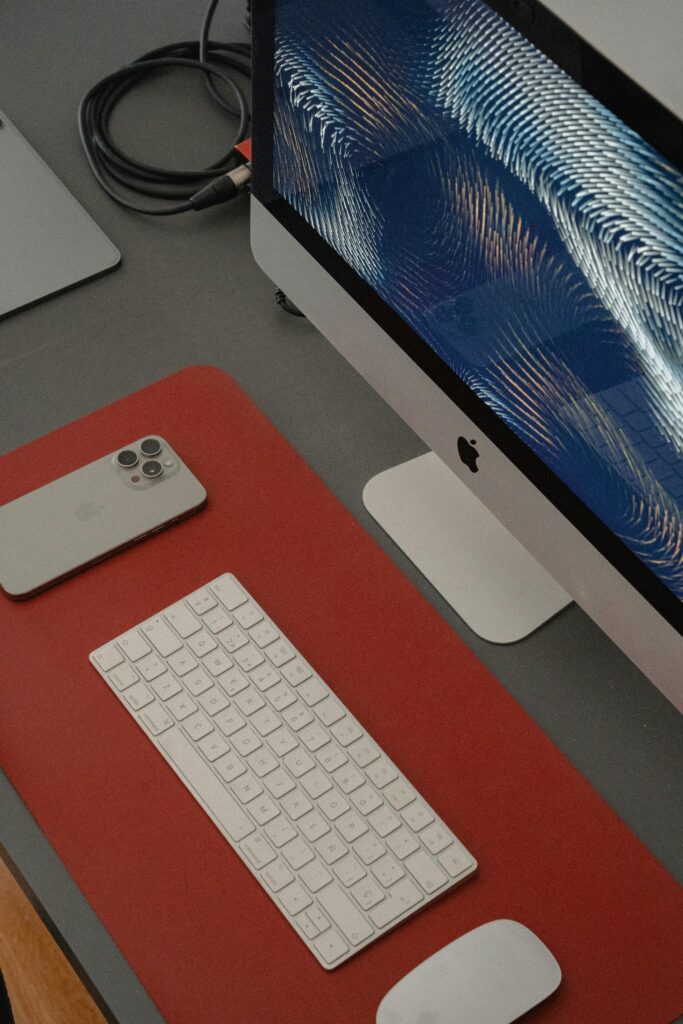
A sharp, modern executive aesthetic over soft Scandinavian felt, a premium vegan leather desk pad is the ultimate alternative. Featuring a subtle pebble texture, this large mat elegantly anchors your keyboard and mouse while acting as a protective barrier for your tabletop.
Cons: Can feel slightly cool to the touch during winter mornings compared to warm wool fabric options.
Pros: 100% waterproof and incredibly easy to wipe clean from coffee spills; features a smooth glide surface for your mouse; often includes a built-in cable management slot to keep charging cords anchored.

2. Two-Tier Wooden Monitor Riser & Desk Shelf
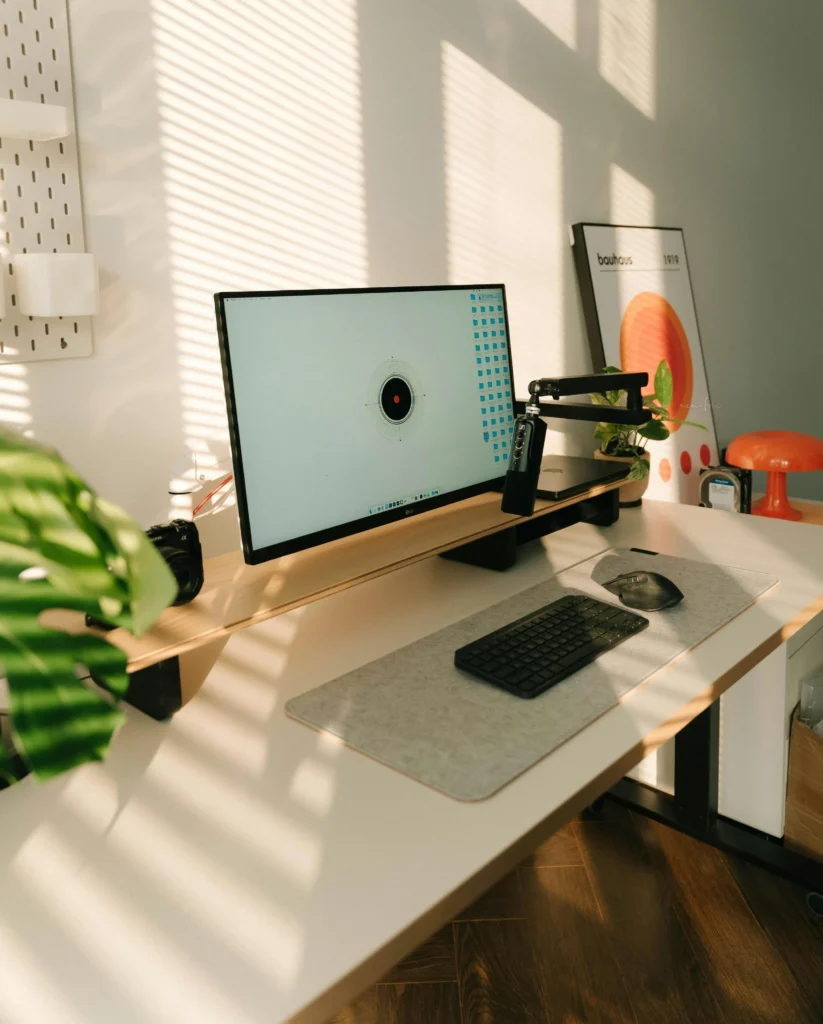
The focal centerpiece of the workspace. This wide, structural wooden riser allows you to elevate your main monitor while introducing a warm, natural oak or walnut texture to a clean white desktop.
- Pros: Instantly clears massive desk space by creating an extra lower tier to slide away your closed laptop, tablets, or notebooks out of sight.
- Cons: Requires checking your desk depth beforehand to ensure you still have plenty of room for your keyboard layout.
3. Heavy-Duty Mechanical Monitor Arm

If a wide wooden desk shelf takes up too much physical desktop surface for your liking, a heavy-duty mechanical monitor arm is the ultimate spatial alternative. It clamps securely to the back edge of your desk and suspends your screen entirely in mid-air.
- Pros: Opens up 100% of the desk real estate directly underneath your screen; allows you to fluidly push, pull, tilt, or rotate your monitor to any ergonomic eye level instantly; completely hides display cords inside internal channels.
- Cons: Can look slightly industrial or high-tech if you are trying to build an ultra-warm, cozy organic space.
4. The Matte Black Ergonomic Wireless Mouse

The ultimate precision tool for a high-focus workspace. Designed to curve naturally into the palm of your hand, a premium ergonomic mouse eliminates wrist strain during long hours of data analysis, writing, or designing.
- Pros: Features multi-device pairing so you can switch control between your laptop and desktop with a single tap; includes high-precision tracking that works seamlessly on wood or leather surfaces without stuttering; uses ultra-quiet switches to reduce clicking noise.
- Cons: Built with an asymmetrical shape that is optimized exclusively for right-handed users.
Less Clutter, More Focus
A minimalist desk setup is not about owning nothing; it is about ensuring that everything you do allow onto your desk serves a distinct, deliberate purpose. By clearing away the visual background noise of a disorganized workspace, you free up immense mental bandwidth to focus entirely on the work that actually matters.
Which of these 7 rules are you going to implement on your desk first? Let us know in the comments below, or drop a picture of your current setup workspace!