

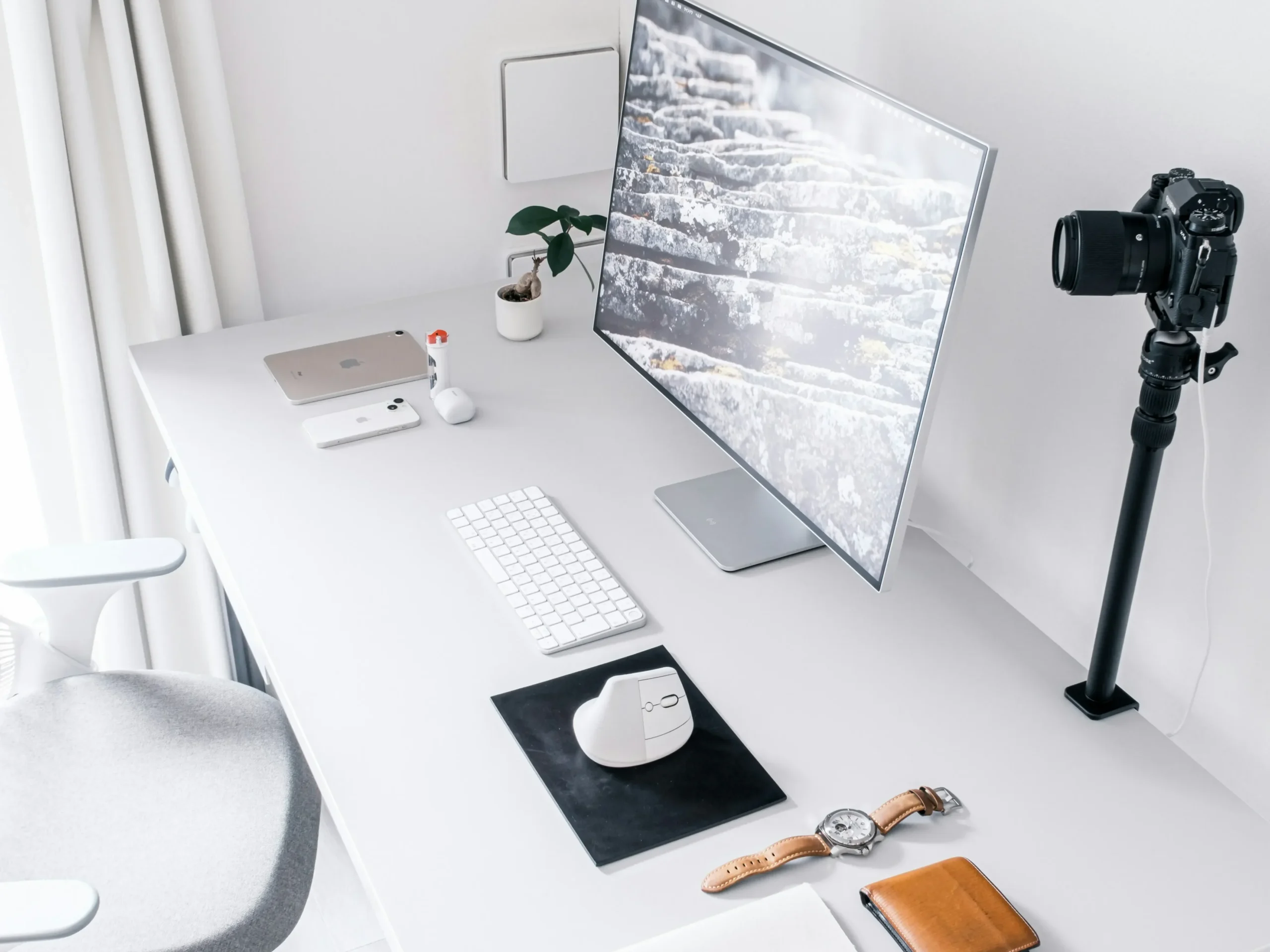
There is a distinct psychological shift that occurs when you sit down at a completely clean, light-toned workstation. While dark themes excel at late-night, cinematic moodiness, an all-white minimalist desk setup behaves like a blank canvas. It catches natural morning sunlight, reflects ambient room light, and opens up the room visually, making even the smallest home office feel incredibly spacious.
However, designing a light-toned workspace is a delicate balancing act. Without careful planning, a completely white desk can quickly look clinical, cold, or uninspiring.
The secret to mastering this high-end aesthetic is introducing soft silver metals, intentional dark contrast points, and rich lifestyle textures. Breaking the workspace down by cognitive function allows you to build an ultra-clean, high-focus studio space that inspires productivity.
Zone 1: The Focal Plane (Eye Level)
The display area dictates the overall geometry and visual weight of your desk. When building an ultra-bright aesthetic, the goal is to let your primary technology blend seamlessly into the background rather than dominating the room.
Monochromatic Displays and Silver Articulation
Instead of using heavy black plastic monitor stands that break up the clean horizon line of your wall, embrace displays that utilize elegant, satin-silver aluminum bases. Elevating a clean, silver-trimmed panel directly against a stark white or soft gray wall completely eliminates harsh visual outlines, keeping your field of view entirely uninterrupted.
- Aesthetic Integration: Keep the wall space directly behind your screen beautifully bare. Allowing the clean negative space of a light-colored wall to frame your monitor enhances the spacious, airy feel of the entire room and significantly reduces eye strain during long hours of deep focus.

Zone 2: The Interaction Core (Hand Level)
This is the physical center of your workspace—the zone where your hands spend hours every single day. In peak minimalism, sometimes the most powerful design choice you can make is knowing what to leave off the table.
The High-Contrast Base and Low-Profile Inputs
While massive desk pads are popular, skipping a full felt blotter and letting your peripherals rest on a pristine white desktop creates an unparalleled, unbroken geometric plane. To prevent this layout from looking washed out, ground your tracking area with a sharp, minimalist dark accent pad. This single dark anchor point adds incredible visual depth to the desk surface.
- The Low-Profile Input: Pair the desktop with an ultra-slim, low-profile wireless keyboard. A sleek chiclet-style layout with a silver aluminum chassis and crisp white keycaps keeps the desk profile incredibly low, elegant, and easy to maintain.
- The Ergonomic Pointer: Complete the interaction core with an ultra-light, matching matte white wireless ergonomic mouse. A cable-free surface ensures fluid, unrestricted movement while completely eliminating the visual clutter of messy charging cords.
Zone 3: The Ambient Surround (The Visual Frame)
The final functional zone handles how your desk interacts with your daily routine and the rest of your room. To make a bright workspace feel genuinely premium and human, you must surround your tech with high-quality, practical lifestyle textures.
Curation of Daily Essentials and Creator Tools
Stark white furniture needs touchpoints of character to feel complete. Frame the perimeter of your desk with meaningful, high-quality tools that reflect your workflow. A minimalist desk-mounted camera arm or microphone rig introduces clean, industrial hardware functionality without wasting an inch of valuable surface space.
- The Pop of Color: Don’t be afraid to break the rules on the surrounding walls. Hanging a single piece of vibrant, high-contrast artwork or a colorful graphic print nearby gives the eyes a refreshing place to rest when you step away from the screen.
Clear Desk, Clear Mind
Building an all-white minimalist workspace isn’t about creating a clinical showroom that you are afraid to use. It is about deliberately selecting light-reflecting materials, clean aluminum finishes, and smart wireless tools that reduce daily mental fatigue. When you clear away the visual noise of a chaotic workspace, you open up the cognitive space to produce your absolute best work.
Are you planning to go completely bare-desktop with your next workspace update, or do you prefer the softness of a full felt desk pad? Drop your layout ideas in the comments below!